
How to Register on 3 Card One – Create Your Account
Most people in Pakistan download a gaming app and jump straight into registration without reading anything. Then they wonder why their OTP never came, why they cannot log in the next day, or why their welcome bonus disappeared. This guide exists so that does not happen to you. Read it once and your registration will go through perfectly the first time.
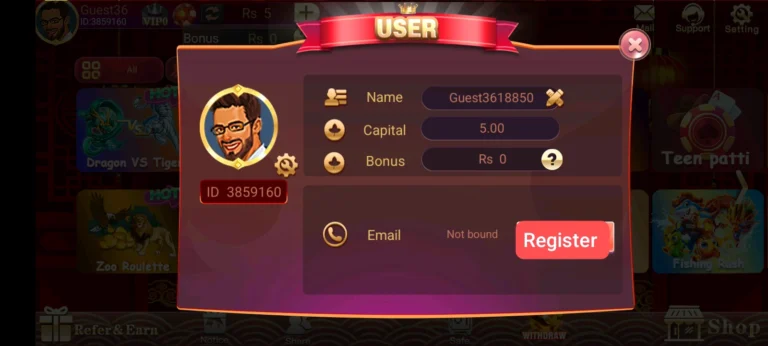
Before You Begin
Three things need to be ready before you tap that Register button.
Your active Pakistani mobile number — the one you actually use every day, not a backup SIM sitting in a drawer somewhere. This number becomes your permanent account identity on 3 Card One. Once registered it cannot be changed so choose the right one from the start.
A stable internet connection. A dropped connection during registration does not just pause the process — it can corrupt it and force you to start over. Use your own mobile data or a trusted WiFi before opening the app.
The 3 Card One app installed and ready on your Android phone. Download it from the official website only.
Registration — Step by Step
Open the 3 Card One app and tap Register on the main screen. You will see a simple form asking for your mobile number and a password.
Enter your mobile number first. Read it back to yourself before moving forward. One wrong digit means the verification code goes to a stranger’s phone and you are stuck.
Create your password next. Use a combination of letters and numbers — something only you would know. Avoid obvious choices like your name, your birthday, or simple sequences like 123456. Your password is the only thing standing between your account and someone else accessing it.
Tap Send OTP. A verification code will arrive on your phone within 30 seconds. The moment it arrives go straight back to the app and enter it. Do not wait. The code expires in 2 to 3 minutes and once it expires you have to request a new one.
Tap Submit. Your 3 Card One account is created and you are taken to your dashboard immediately.
The First Two Things to Do After Registration
Before you open a single game do these two things. They take less than five minutes combined and they matter more than most new players realise.
Go to your profile section and fill in all your details completely. Name, contact information, everything the app asks for. Players who skip this step almost always face problems when they try to withdraw their earnings later. A complete profile means a smooth withdrawal process every time without exception.
Then go to the bonus section and find your 80 PKR welcome bonus. This bonus does not land in your wallet automatically — you have to claim it yourself. Tap claim and it moves into your balance immediately. That is 80 PKR in free chips ready to use before you have spent a single rupee of your own money.
Why Some Registrations Fail
The verification code never arrives
This happens more than you think in Pakistan. Weak signal is usually the reason. If you are in an area with poor network coverage the SMS simply does not come through. Move somewhere with better signal before requesting the code again. Also check that your inbox is not full — a full inbox blocks all incoming messages including OTPs. Wait a full 30 seconds before tapping Resend and never tap it multiple times in quick succession because that triggers a temporary block on further requests.
The wrong number was entered
Many Pakistani players carry two SIMs and it is very easy to enter one number while thinking of another. By the time you realise the mistake the code has already gone to a different phone. Before you tap Send OTP take one extra look at the number on screen. That five second check saves you from a frustrating restart.
The password is too weak
A simple password feels convenient until someone else uses it to get into your account. Your 3 Card One balance, your bonuses, your withdrawal history — all of it sits behind that password. Make it something strong that only you would know.
Two accounts from the same person
Some players register a second account to claim the 80 PKR welcome bonus again. The platform identifies this automatically using device and number data. Both accounts get permanently banned and the bonus is lost on both. It is never worth trying.
If Registration Does Not Complete
Close the app fully — not just minimise it, actually close it from your recent apps. Check your internet connection and confirm it is stable. Reopen the app and start the process again from the beginning. Most failed registrations go through successfully on the second attempt with a stable connection.
If it fails again do not keep trying. Contact 3 Card One support through the official channel inside the app. Tell them exactly what step the process is failing at and they will help you through it.
Final Thoughts
Two minutes of careful registration saves hours of account problems later. Use your own number, build a strong password, enter the OTP the second it arrives, fill in your profile completely, and claim your 80 PKR welcome bonus before your first game. Do these five things and your 3 Card One account will be solid from day one.